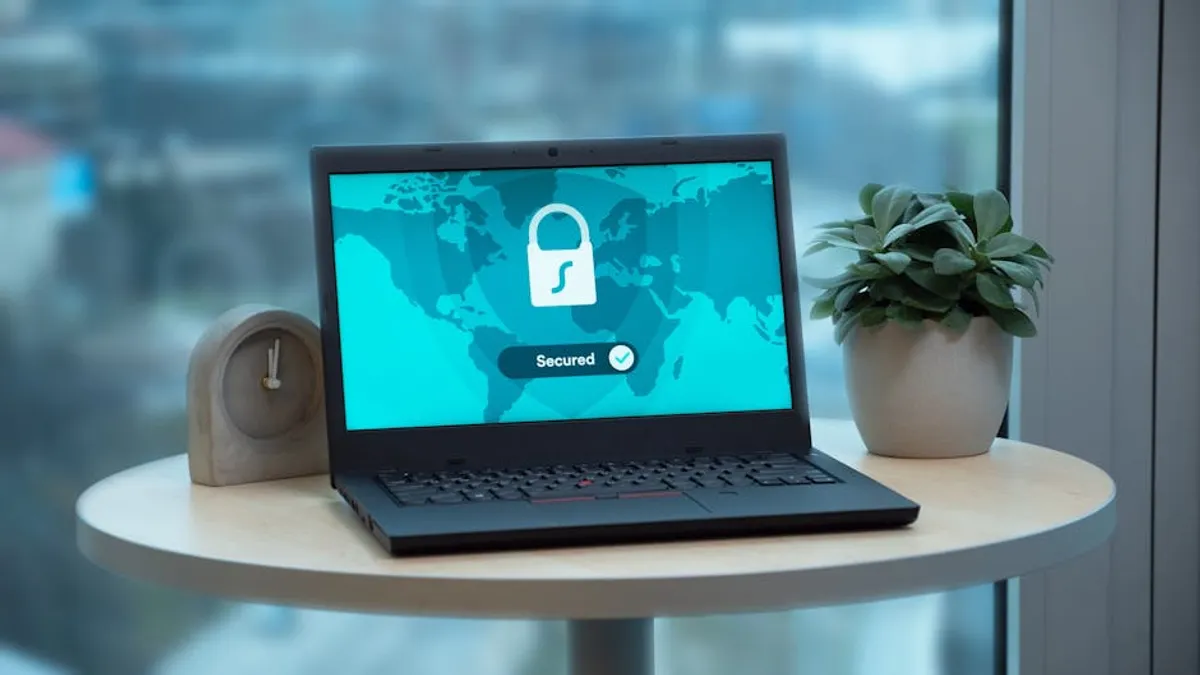
Establishing a secure remote work setup is no longer a temporary measure but a fundamental operational requirement for businesses. The distributed workforce introduces distinct security challenges, from protecting sensitive data across varied network environments to managing diverse endpoints. A robust security framework is critical not only for compliance and data integrity but also for maintaining operational continuity and client trust. Ignoring these considerations can lead to data breaches, intellectual property loss, and significant reputational damage, directly impacting commercial viability. This guide outlines the essential components and strategic considerations for building a secure remote work infrastructure that mitigates these risks effectively.
Establishing a Secure Network Perimeter for Remote Access
The foundation of any secure remote work environment lies in how employees connect to your internal resources. Public and home Wi-Fi networks are inherently less secure than controlled office networks, making network-level protection paramount.
Implementing Virtual Private Networks (VPNs)
A VPN creates an encrypted tunnel between the remote device and the corporate network, safeguarding data in transit from eavesdropping or tampering. This is crucial for employees accessing internal servers, cloud applications, or sensitive databases. Selecting a business-grade VPN solution is essential, as consumer-grade options often lack the necessary administrative controls, logging capabilities, and performance for enterprise use. Deploying a split-tunnel VPN configuration, where only corporate traffic routes through the VPN, can optimize performance while still securing critical data. Full-tunnel VPNs, routing all traffic, offer maximum security but can impact speed.
Securing Home Routers and Wi-Fi Networks
Remote employees' home routers often represent a weak link. Advise staff to change default router credentials immediately and use strong, unique passwords. Encourage WPA3 or WPA2-Enterprise encryption for Wi-Fi networks where available, as these protocols offer stronger authentication and encryption than older WPA2-Personal. Segmenting home networks, if technically feasible for the user, can isolate work devices from personal ones, limiting potential lateral movement for threats originating on personal devices.
Protecting Endpoints and Devices
Each device used for work—laptops, tablets, smartphones—is a potential entry point for attackers. Comprehensive endpoint security measures are non-negotiable for remote operations.
Device Encryption and Management
Full disk encryption (FDE) for laptops and mobile device encryption ensures that data stored on a device remains inaccessible if the device is lost or stolen. Implement mobile device management (MDM) or unified endpoint management (UEM) solutions to enforce security policies, remotely wipe devices, and manage application access. These tools provide centralized control over distributed assets, critical for maintaining compliance and responding to incidents.
Antivirus, Anti-Malware, and Endpoint Detection and Response (EDR)
Traditional antivirus software provides baseline protection, but modern threats require more advanced capabilities. EDR solutions offer real-time monitoring, threat detection, and automated response capabilities, allowing security teams to identify and neutralize sophisticated attacks more quickly. Ensure these solutions are consistently updated and configured to scan regularly, with logs forwarded to a central security information and event management (SIEM) system for analysis.
Firewalls and Regular Patching
Both network-level firewalls and host-based firewalls on individual devices are essential. Configure host-based firewalls to restrict unauthorized inbound and outbound connections. A rigorous patching schedule for operating systems, applications, and firmware is vital. Unpatched vulnerabilities are a leading cause of successful cyberattacks. Automated patch management systems can streamline this process across a distributed workforce, ensuring critical updates are applied promptly.
Pro Tip: Implement a "zero-trust" security model. This approach dictates that no user or device, whether inside or outside the network perimeter, should be implicitly trusted. Every access request must be verified, regardless of its origin, significantly reducing the attack surface.
Ensuring Data Integrity and Confidentiality
Data is the lifeblood of most organizations. Protecting its integrity and confidentiality across remote environments requires deliberate strategies.
Data Encryption at Rest and in Transit
Beyond network-level encryption (VPNs), ensure data is encrypted at rest on storage devices and in cloud services. Utilize secure protocols like TLS for all web-based communication. For sensitive files, consider file-level encryption or secure container solutions. This layered approach minimizes the risk of data exposure even if other security controls are bypassed.
Secure Cloud Storage and Collaboration Tools
Cloud services are integral to remote work, but their security relies heavily on proper configuration. Use services that offer strong encryption, multi-factor authentication, and granular access controls. Audit sharing settings regularly to prevent accidental public exposure of sensitive documents. Train employees on the secure use of collaboration platforms, emphasizing the risks of sharing links or files with external, unauthorized parties.
Robust Data Backup and Recovery Strategies
Even with comprehensive security, data loss can occur due to human error, hardware failure, or ransomware. Implement automated, encrypted backups of all critical data, stored in geographically separate locations. Regularly test backup restoration procedures to ensure data can be recovered swiftly and completely, minimizing downtime and data loss impact.
Managing Identity and Access
Controlling who can access what, and under what conditions, is fundamental to remote work security.
Multi-Factor Authentication (MFA) Everywhere
MFA adds a critical layer of security by requiring users to provide two or more verification factors to gain access. This could be a password combined with a code from an authenticator app, a biometric scan, or a hardware token. Deploy MFA across all corporate applications, VPNs, and cloud services. This significantly reduces the risk of account compromise from stolen or weak passwords.
Strong Password Policies and Management
Enforce complex password requirements (length, character variety) and regular password changes. Encourage the use of enterprise password managers to help employees create and store strong, unique passwords for different services without needing to memorize them. Avoid password reuse across personal and professional accounts.
Principle of Least Privilege
Grant users only the minimum access rights necessary to perform their job functions. Regularly review and revoke unnecessary permissions. This limits the potential damage an attacker can inflict if an account is compromised, as their access will be restricted to only a subset of resources.
Cultivating a Security-Aware Culture
Technology alone is insufficient. Employees are often the first line of defense, and their actions can either strengthen or weaken your security posture.
Continuous Security Awareness Training
Regular, engaging training sessions are crucial to educate employees about common threats like phishing, social engineering, and malware. Training should cover best practices for secure device usage, data handling, and incident reporting. Simulate phishing attacks to test employee vigilance and reinforce lessons learned. This proactive education transforms employees into active participants in your security strategy.
Clear and Enforceable Remote Work Security Policies
Develop comprehensive policies that clearly outline expectations for remote employees regarding device usage, data storage, network connectivity, and incident reporting. These policies should be easily accessible, regularly reviewed, and acknowledged by all staff. Enforcement mechanisms, including disciplinary actions for non-compliance, reinforce their importance and maintain a consistent security standard across the organization.
- Mandatory VPN usage for corporate network access.
- Prohibition of connecting work devices to unsecured public Wi-Fi.
- Guidelines for reporting suspicious emails or activities immediately.
- Requirements for device locking when unattended.
- Rules for the proper disposal of sensitive physical documents.
Implementing and Maintaining Your Secure Remote Work Setup
Building a secure remote work environment is an ongoing process, not a one-time project. It requires continuous attention and adaptation.
Initial Assessment and Gap Analysis
Begin by assessing your current remote work practices and identifying existing vulnerabilities. This includes evaluating current hardware, software, network configurations, and employee security awareness. A thorough gap analysis will pinpoint areas requiring immediate attention and guide your implementation strategy.
Selecting and Integrating Security Tools
Choose security solutions that integrate well with your existing infrastructure and provide centralized management capabilities. Prioritize tools that offer scalability, robust reporting, and vendor support. Focus on solutions that simplify security for end-users while providing granular control for IT administrators.
Ongoing Monitoring and Auditing
Implement continuous monitoring of network traffic, endpoint activity, and access logs to detect anomalies and potential threats. Regular security audits and penetration testing can identify new vulnerabilities before they are exploited. This proactive approach ensures your security posture remains strong against evolving threats.
Sustaining Operational Security for Remote Teams
A secure remote work setup demands vigilance and adaptability. Regular policy reviews, technology updates, and consistent employee training are not optional; they are integral to maintaining a resilient defense. By prioritizing these elements, organizations can empower their remote workforce without compromising their security or commercial interests, ensuring business continuity and data protection in an increasingly distributed operational landscape.
Frequently Asked Questions
What is the most critical first step for securing remote work?
The most critical first step is implementing multi-factor authentication (MFA) across all corporate accounts and services, significantly reducing the risk of unauthorized access due to compromised credentials.
How often should remote work security policies be updated?
Remote work security policies should be reviewed and updated at least annually, or more frequently if there are significant changes in technology, threat landscape, or regulatory requirements.
Can employees use personal devices for work securely?
Yes, but it requires robust Mobile Device Management (MDM) or Unified Endpoint Management (UEM) solutions to enforce security policies, encrypt data, and isolate work data from personal data on the device, often through a "bring your own device" (BYOD) policy.
What role does employee training play in remote work security?
Employee training is fundamental; it educates staff on identifying and avoiding threats like phishing, understanding secure data handling, and following company security protocols, transforming them into an active defense layer against cyberattacks.